Short clips are now one of the main ways people discover new podcasts. A single episode can easily give you five to ten Shorts — enough to post every day for a week. This guide shows you how to turn a podcast into Shorts for free, from finding the right moments to exporting captioned vertical clips.
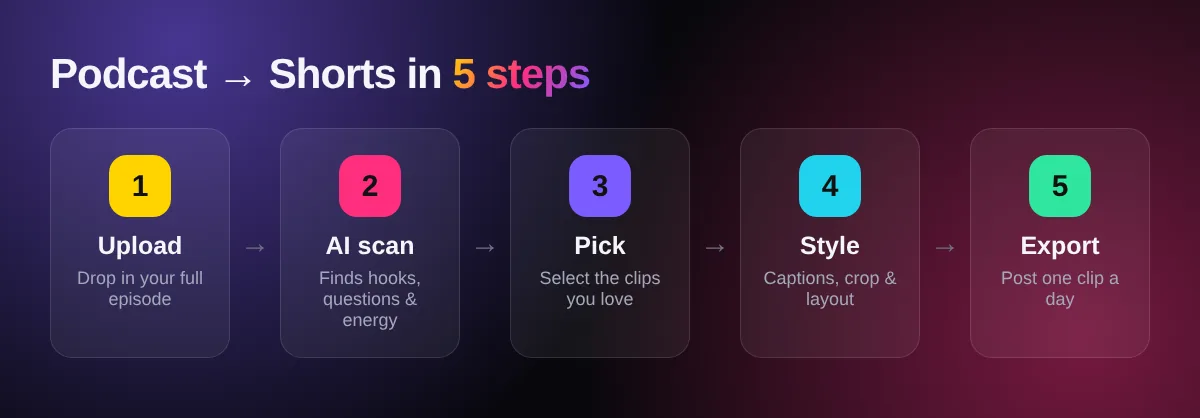
What makes a podcast moment clip-worthy?
The best clips make sense to someone who has never heard your show. Look for moments that:
- Stand alone — no "as I said earlier".
- Open with a hook — a question, a bold opinion or a surprising number.
- Carry emotion — laughter, frustration, excitement or a heated disagreement.
- Tell a mini story with a clear ending.
- Share one useful tip people want to save or send to a friend.
Step 1: Upload your episode
Open the ReelsClipper tool and drop in your episode video. It opens instantly because nothing is uploaded — everything runs privately in your browser.
Step 2: Let the AI find the best moments
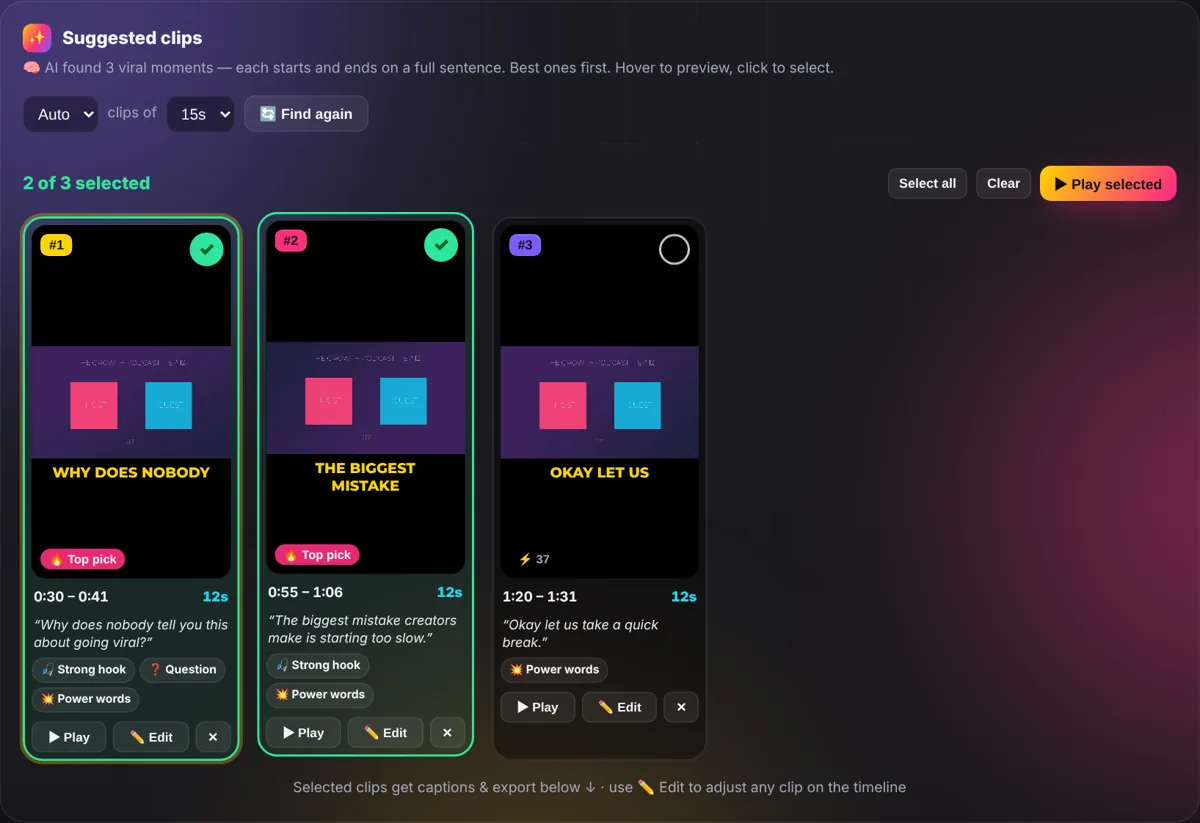
Within seconds you'll see quick picks based on audio energy. Meanwhile, the AI listens to the whole episode and writes down what was said. When it's done, the cards update with viral moments: clips with strong hooks, questions and power words that start and end on full sentences.
Step 3: Pick your favorites
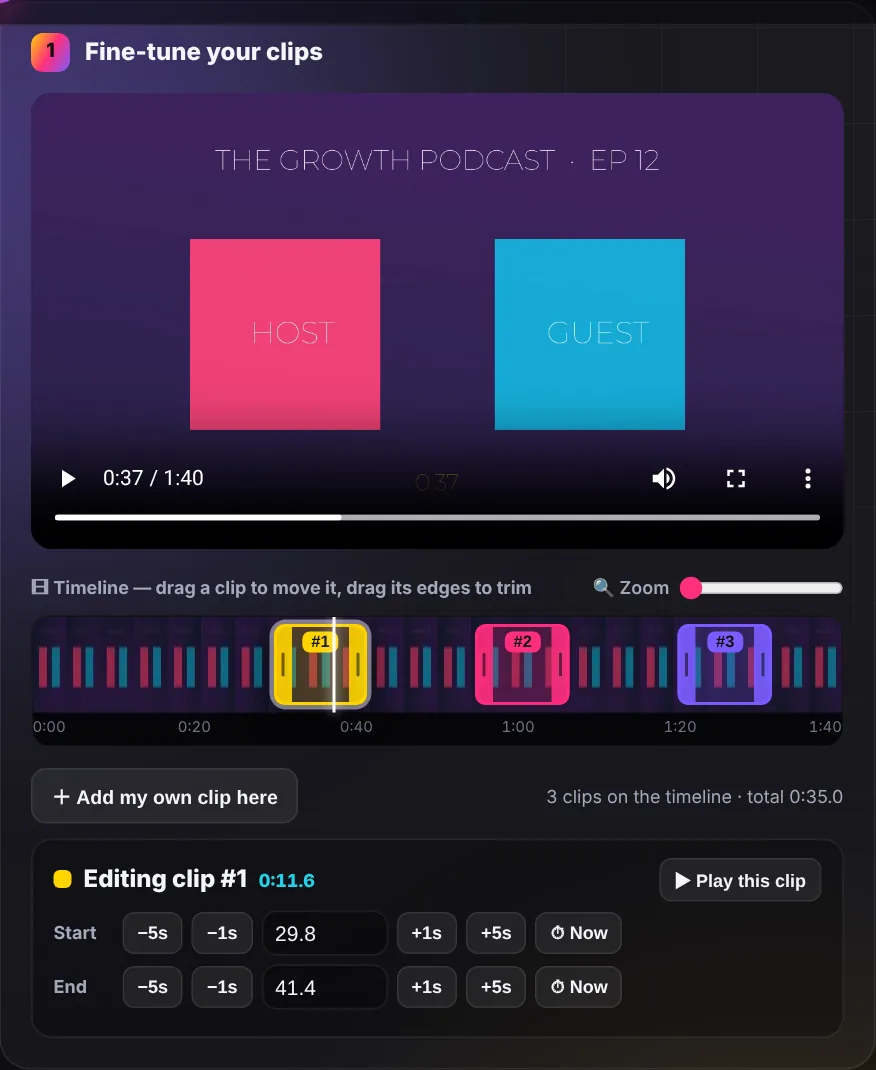
Hover over a card to preview it, and click to select it (a green ✓ appears). Use ▶ Play selected to watch your picks back to back with sound. If a clip starts a little too early or ends too soon, press ✏️ Edit and drag its edges on the timeline.
Step 4: Style it for vertical video
Podcasts are usually filmed wide, with two people side by side. Cropping to 9:16 can cut one speaker out, so try the Fit + blur background layout: it keeps the full frame and fills the empty space with a soft blur.
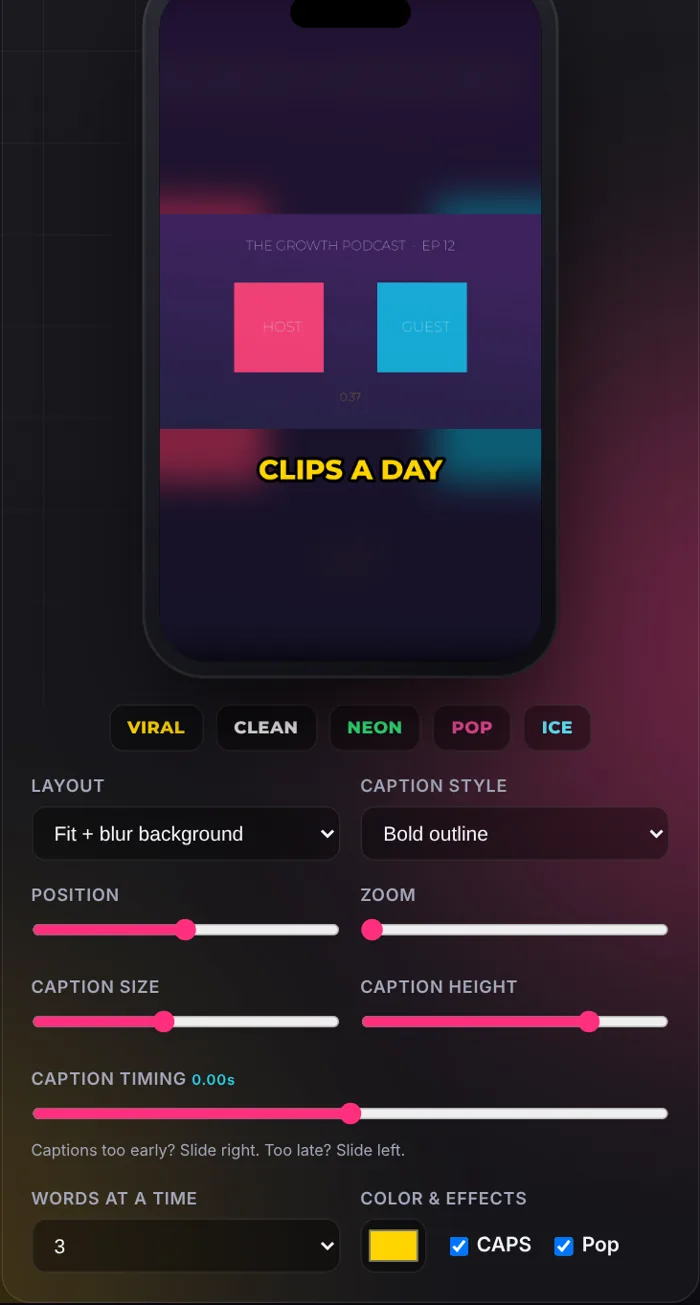
Then pick a caption preset. Bold yellow VIRAL captions with 2–3 words at a time work well for fast talk; CLEAN white boxes suit interviews and calmer shows. Captions are created automatically from the AI scan — just fix any names or words it misheard.
Step 5: Export and schedule
Choose 1080×1920, press Export selected clips and keep the tab open while it records. Then download each clip or use Download all.
Instead of posting everything at once, post one clip a day. A single episode becomes a week of content, and you'll quickly learn which kind of moment your audience loves.
Tips that make podcast clips perform
- Start on the strongest line. Cut the "so, um, yeah" — begin right at the hook.
- Keep most clips under 60 seconds. See our video length cheat sheet.
- Write a curiosity title on the post, like "He lost everything in one day".
- Point to the full episode in your caption or pinned comment.
- Post on every platform — the same clip can work on Shorts, Reels and TikTok.
Other ways to clip a podcast
YouTube has also expanded its Studio clips tool so creators can turn segments of long-form videos, like podcast episodes, into vertical Shorts (Search Engine Journal). That's handy if your episode already lives on YouTube. ReelsClipper works with any video file and gives you AI-picked moments, styled captions and batch export in one place.
FAQ
How many Shorts can I get from one episode?
Usually 5–10 good ones from a 30–60 minute episode. ReelsClipper suggests up to 10 at a time.
Do I need to edit the captions?
Give them a quick check — AI can mishear names and slang. Click any caption line to fix it.
Is it free?
Yes: no watermark, no sign-up and no minute limits.
Try it now — it's free.
🎬 Open ReelsClipper